Top Visual Content Tools for Dental and Healthcare Clinics
Engaging visual content for healthcare practices and dentists combines clear design, accurate information, and patient-centered storytelling to improve understanding and drive appointment inquiries. This guide explains what engaging visual content means for clinics, how the right tools speed production, and why visual content influences patient decisions and local search visibility. Many small dental practices struggle with time, compliance, and consistent branding; using the right graphic design software, infographic makers, video editors, and presentation tools reduces that burden while improving patient education and online engagement. Below we map top graphic design platforms, infographic creators, video editors, budget-friendly options, presentation software, and AI-powered tools, plus integration steps that link visual assets to local SEO, Google Business Profile activity, and reputation management. Throughout, keywords such as graphic design software, patient education infographic templates, video editing apps, and dental practice visual content software appear in context to help practices select tools and workflows that produce measurable outcomes. Read on for comparison tables, quick-start lists, and practical workflows designed for busy clinics seeking scalable visual content strategies.
What Are the Top Graphic Design Software Options for Dentists?
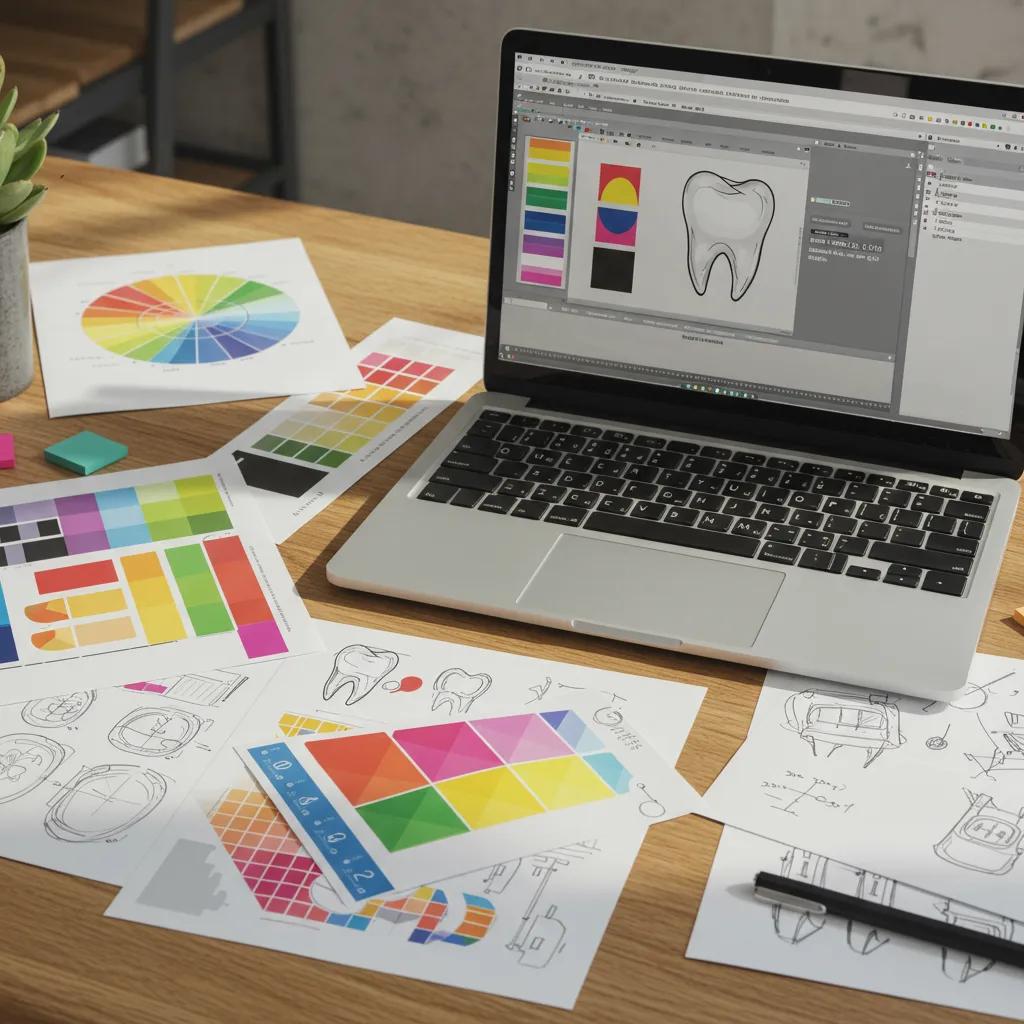
Graphic design software for dentists lets clinics produce branded social posts, flyers, and patient-facing materials by combining templates, brand kits, and export controls to maintain clinical clarity and consistency. These tools work by providing pre-built layouts and assets that non-designers can adapt quickly, reducing production time and ensuring legible, accessible patient communications that support trust and conversions. Choosing between platforms depends on daily social needs versus higher-fidelity branding work, and on whether a practice needs team collaboration, medical-ready templates, or print-ready exports. Below are recommended tools and use-cases to help clinics select the right application for routine posts, patient brochures, and branded signage while preserving compliance and accessibility.
This quick shortlist highlights the top options and one-line rationales for each tool:
- Canva: Accessible templates and a brand kit that suit recurring social posts and appointment reminders.
- Adobe Express: Fast resizing and Adobe ecosystem integration for higher-fidelity branded assets.
- Affinity Designer / Adobe Illustrator (professional): Vector-based control for logo work and signage when a designer is required.
These choices lead naturally into a detailed comparison of each platform’s strengths and practical clinic workflows in the subsections below.
How Does Canva Support Dental Practice Visual Content Creation?
Canva is a web-based design platform that supports dental clinics by offering templated social posts, appointment reminders, and simple printable materials that non-designers can edit quickly. The platform works through drag-and-drop templates, a brand kit for colors and fonts, and export formats suitable for web and print, which reduces time-to-publish for recurring patient communications. Clinics typically create a content template for weekly posts, duplicate it for variations, and use the brand kit to ensure consistent visual identity across channels. Collaboration features allow staff to leave notes and maintain version control, and the platform’s accessibility features help produce readable patient education assets that comply with clarity guidelines.
Canva’s ease-of-use transitions directly to considerations about advanced branding tools when clinics need higher-resolution or vector outputs for signage and logo work.
What Features Make Adobe Express Ideal for Dental Marketing?
Adobe Express provides rapid post creation, automatic resizing, and integration with Adobe’s asset libraries, which helps clinics produce consistent marketing assets suited to campaigns and multi-platform publishing. The tool uses templates and intelligent resizing so a single asset adapts for social, email headers, and printed flyers; this mechanism reduces manual layout time while preserving brand elements. For practices working alongside designers, Adobe Express bridges simple in-house edits with professional workflows by enabling easy handoff of files compatible with advanced Adobe software. Clinics benefit from quick presets for typographic hierarchy and accessible color contrast, which supports patient readability and professional presentation.
These practical benefits point to when a clinic should consider moving from quick-template tools to professional design applications for higher-stakes materials.
Which Other Graphic Design Tools Are Effective for Dental Clinics?
Several alternative graphic design applications fill specific clinic needs, from quick social edits to professional branding and print design. Snappa and Crello (now part of other platforms) serve quick social creative needs with simple interfaces and template libraries, while desktop vector tools like Adobe Illustrator or Affinity Designer are best when creating logos, intricate signage, or custom printable forms. The choice depends on cost tier and required output: entry-level tools prioritize speed and templates, while professional tools prioritize precision and scalability. Clinics often pair a quick template tool for daily posts with a professional designer workflow for branding refreshes, balancing budget constraints with brand integrity.
Understanding where each tool fits helps clinics plan a layered approach: fast content creation for social and scheduled posts, plus occasional professional design for assets that represent the clinic long-term.
| Tool | Application Category | Best Use For | Cost Tier | Key Feature |
|---|---|---|---|---|
| Canva | Web-based design | Social posts, appointment reminders | Free → Subscription | Templates + Brand Kit |
| Adobe Express | Quick branded posts | Multi-platform resizing and campaigns | Free → Subscription | Presets + Adobe integration |
| Affinity Designer | Professional vector design | Logos, signage, print | One-off purchase | Precise vector tools |
This table compares practical tool options so clinics can align software selection with daily workflows and budget. The next section explores infographic makers that distill clinical information into patient-friendly visuals.
Which Infographic Makers Best Simplify Medical Information for Patient Education?
Infographic makers convert complex dental procedures and outcomes into visual narratives that improve comprehension, recall, and shareability by combining icons, simplified charts, and plain-language labels. They work by providing readable templates, chart tools, and export options so practices can create pre-visit education sheets, consent illustrations, and social-friendly explainers that reduce chair-time confusion. Key selection criteria include readability, template relevance for common dental topics, accessibility features, and export formats for both web and print. Below are specific tools and practical use-cases to help clinicians create accurate, patient-centered infographics.
The tools below illustrate trade-offs in template depth, data visualization, and export flexibility:
- Visme: Robust charting and accessibility features for procedure explainers and patient journey maps.
- Venngage: Professional templates suited to clinic-branded handouts and educational campaigns.
- Piktochart: Easy data import and clear charting for treatment statistics and risk comparisons.
These tool summaries set up a closer look at how each platform supports medical clarity and patient education in the subsections that follow.
How Does Visme Help Create Clear Infographics for Medical Practices?
Visme offers a combination of data visualization tools, accessible templates, and clear typography options that make it well-suited for medical infographics focused on treatment steps and patient journeys. The platform’s charting features enable clinics to turn clinical data into digestible visuals—such as recovery timelines or success rates—while its templates simplify layout and ensure legibility. A typical workflow is to select a treatment explainer template, replace stock charts with the clinic’s anonymized data, and export both web-optimized and print-ready copies. Visme’s ability to maintain brand colors and accessible contrast supports patient comprehension and consistent educational materials across platforms.
This capability naturally leads into comparing Venngage and Piktochart for clinics with differing data and template needs.
What Are the Advantages of Venngage and Piktochart for Healthcare Infographics?
Venngage and Piktochart each excel in specific healthcare scenarios: Venngage provides polished, clinic-ready templates ideal for brochures and campaign assets, while Piktochart focuses on importing datasets and producing clear charts for comparative patient information. Both tools favor readability and simple visual hierarchies, but Venngage often offers more professionally styled layouts whereas Piktochart streamlines numerical visualization and CSV imports. Clinics choose Venngage when design polish and template variety are priorities, and Piktochart when presenting treatment options, timelines, or aggregated outcomes requires accurate charts. Selecting the right tool depends on whether the priority is visual storytelling or data presentation.
Comparing these platforms prepares clinics to implement infographics that support informed consent and patient education, which we discuss next.
| Tool | Template Types | Medical Use Case | Ease of Use | Export Options |
|---|---|---|---|---|
| Visme | Treatment explainers, charts | Procedure steps, timelines | Moderate | PNG, PDF, Web |
| Venngage | Brochures, campaign visuals | Patient handouts, clinic branding | Easy | PNG, PDF |
| Piktochart | Data-driven infographics | Outcome stats, comparisons | Easy → Moderate | PNG, PDF, PPT |
The table above helps clinics compare attributes relevant to patient education and technical export needs. After deciding on a tool, many clinics choose to scale by creating template libraries or commissioning regular assets.
After discussing infographic tools, clinics can also consider commissioning compliant, clinic-specific infographics; for practices seeking ongoing production support, Milkcan Marketing’s Content Marketing service can create branded templates and clinic-specific visual assets that align with local SEO and reputation management priorities.
What Are the Best Video Editing Tools for Dental Clinic Social Media and Patient Education?

Video editing tools help clinics produce short-form social clips, testimonials, and explainer content that build trust and increase discovery when optimized for platform formats and captions. These tools operate by providing mobile-friendly editors, captioning workflows, and export presets tuned to social platforms, enabling staff to turn filmed clips or narrated slides into polished posts. Choosing between editors depends on whether the clinic needs rapid short-form content for Reels/TikTok or longer explainer videos for patient education and website embedding. Below are recommended tools with practical workflows to match clinic capacity and communication goals.
High-level recommendations and why they fit clinic use-cases:
- CapCut: Mobile-first editing and templates for fast social clips and before/after videos.
- FlexClip: Template-driven editor for explainer videos and voiceover integration.
- Animaker: Animation-friendly tool for illustrated patient education and narrated explainers.
These tool choices guide clinics to select editors based on turnaround speed and the intended audience, which is examined in the subsections.
How Does CapCut Enable Quick Video Creation for Dental Marketing?
CapCut is a mobile-first editor that enables clinics to produce short-form videos quickly by using ready-made templates, auto captions, and simple trimming tools that fit Instagram Reels and TikTok formats. The app streamlines a common workflow: record a clip, import to CapCut, apply a branded template, add captions, and export using platform presets, reducing editing time substantially. CapCut’s filters and transitions make before/after or procedure highlight clips feel professional even without a videographer, and its captioning tools help accessibility and engagement.
Best practice is to script short narratives, keep clips under 30–60 seconds, and include clear calls to action directing viewers to book or learn more.
These short-form tactics lead into template-driven editors like FlexClip and Animaker for longer explainers that need narration or animation.
What Benefits Do FlexClip and Animaker Offer for Healthcare Videos?
FlexClip and Animaker are online editors that simplify creation of explainer videos, animated sequences, and narrated patient guides by offering scene templates, stock assets, and voiceover integration. FlexClip suits clinics wanting live-action edits with captions and simple transitions, while Animaker is better for animated stepwise explainers that avoid showing clinical imagery but still communicate procedure steps. Both tools enable captioning, subtitle export, and multiple output formats tailored for web and social channels, making them suitable for clinics without an in-house videographer.
Clinics typically use these tools for consent walkthroughs or condition explainers that complement in-practice conversations and website resources.
These editors support a content strategy that blends short-form social clips with longer explainer videos to sustain patient education and search visibility.
How Can Video Content Boost Patient Engagement on Social Media?
Video content boosts patient engagement by increasing dwell time, shares, and direct messaging, which in turn improves social signals and referral traffic to clinic websites or booking systems. Short, authentic content—testimonials, procedure overviews, quick oral health tips—performs well because it builds trust and demonstrates clinic culture; longer explainers serve as authoritative resources that reduce pre-visit uncertainty. Key KPIs to track include views, watch time, shares, website clicks, and appointment inquiries attributed to video campaigns. Measuring these metrics informs iteration: A/B test thumbnail styles, caption formats, and video length to identify what drives bookings most effectively.
Moving from video tools to budget choices, clinics can also rely on several free or low-cost editors to sustain a steady publishing cadence.
| Tool | Platform | Best For | Output Formats | Learning Curve |
|---|---|---|---|---|
| CapCut | Mobile (iOS/Android) | Short social clips | MP4, vertical presets | Low |
| FlexClip | Web | Explainer videos, voiceovers | MP4, web-ready | Low → Moderate |
| Animaker | Web | Animated explainers | MP4, GIF | Moderate |
This comparison helps clinics choose an editor that matches production skill and the intended video format. The next section examines free and budget-friendly tool options for clinics on limited budgets.
Which Free and Budget-Friendly Design Tools Are Available for Healthcare Marketing?
Free and budget-friendly design tools allow small clinics to maintain consistent visual output without large agency fees by providing core features—templates, basic exports, and simple editing—at no or low cost. These tools work through freemium models that unlock basic creation functions in free tiers and add collaboration, brand kits, and higher-resolution exports in paid plans. For practices prioritizing regular social activity and printable patient handouts, free tiers often suffice, while clinics scaling campaigns or needing multi-user brand control should consider affordable subscriptions. Below are top free-tier options, practical workflows to maximize value, and best practices to maintain brand consistency and compliance on tight budgets.
Useful free-tier features and how to use them effectively:
- Canva Free: templates and basic exports for social posts and single-user design workflows.
- Adobe Express Free: quick post creation and resizing for occasional campaigns.
- Pixlr and Google Slides: practical for photo retouching and simple handouts respectively.
These options set up practical tips and workflows to stretch free tools for clinical use, as outlined in the subsections.
What Free Features Do Canva and Adobe Express Offer for Small Practices?
Canva and Adobe Express provide free-tier features that cover most basic clinic needs: editable templates, image cropping, and standard export formats suitable for social and web use. The mechanism is a freemium template library that allows staff to produce one-off campaign posts and printable flyers without design training. Limitations include restricted brand kit access, lower-resolution downloads in some cases, and fewer collaboration tools, which may constrain teams as content scales. For small practices, the free tiers are ideal for trialing content formats and establishing a weekly content rhythm before upgrading for team management and advanced export requirements.
These constraints encourage clinics to use additional free tools such as Pixlr for image edits and Google Slides for printable patient resources, explored next.
How Can Pixlr and Google Slides Support Affordable Visual Content Creation?
Pixlr offers browser-based photo editing for quick retouching and background adjustments, while Google Slides serves as a low-cost layout and printable resource creator for patient handouts and simple presentations. A typical workflow uses Pixlr to retouch intraoral photos, saving high-contrast images, then imports into Google Slides to assemble clinic-branded printable materials or consultation decks. Both tools export common formats and support collaboration at no cost, though they lack advanced brand kit and color-management features found in paid tools. These utilities help clinics maintain quality control while keeping software costs minimal.
Using these tools effectively depends on standardized templates and a checklist to avoid accessibility or privacy mistakes, which we discuss next.
What Are the Best Practices for Maximizing Free Design Tools in Healthcare?
Maximizing free tools requires a disciplined approach: create simple brand templates, use alt text for images, maintain image quality standards, and always anonymize patient data to protect privacy. The reason is that free tools often lack automated compliance checks, so manual workflows—templated assets, pre-publish checklists, and consistent export settings—ensure quality and safety. Practical steps include establishing a single color palette, limiting fonts to two options, and running a privacy checklist before publishing any clinical imagery. Consistent application of these practices preserves brand trust and reduces the likelihood of compliance missteps.
Adopting these habits prepares clinics to scale visual content more confidently or to engage external content partners when volume increases.
- Create reusable templates: Standardize layouts for posts and handouts to save time.
- Maintain a simple brand kit: Select colors and fonts that ensure readability and consistency.
- Use a privacy checklist: Always anonymize patient data and verify permissions before publishing.
These practices close the gap between limited tools and professional outcomes, and they transition naturally into using presentations to support consultations.
How Can Online Presentation Software Enhance Patient Consultations and Education?
Presentation software enhances consultations by structuring treatment discussions into visual flows that support shared decision-making, improve comprehension, and reduce follow-up questions. Presentations work by combining stepwise slides, embedded video, and interactive elements that keep patients engaged while clinicians explain options and expected outcomes. Tools that support collaboration and embedding media make it easy to adapt presentations to individual patient needs and to repurpose slide content as website resources or social posts. Below, learn why Google Slides, Prezi, and Visme are particularly useful for clinics and how presentations translate into improved communication and consent outcomes.
The following list summarizes presentation benefits for clinics:
- Structured explanations reduce confusion and speed consent.
- Repurposable content creates website and social assets.
- Interactive elements increase engagement and retention.
These benefits explain why clinics should invest in presentation templates tailored to common procedures, which we detail in the subsections.
Why Is Google Slides Effective for Interactive Patient Presentations?
Google Slides supports interactive patient presentations through real-time collaboration, easy media embedding, and simple sharing across devices, enabling clinicians to tailor decks during consultations. The platform’s mechanism relies on cloud-based editing and embedding options for videos and links that illustrate procedures and aftercare, which improves comprehension at the point of care. Clinics typically create modular slide decks—treatment overview, risks and benefits, before/after care—and customize slides during consultations to reflect patient priorities. Because Google Slides is widely accessible, patients can receive slide copies or links after appointments, reinforcing communication and reducing follow-up queries.
This practical approach points to when dynamic storytelling tools like Prezi or Visme are preferable for more narrative-driven education.
What Unique Features Do Prezi and Visme Offer for Medical Presentations?
Prezi emphasizes motion and storytelling, which is effective for walking patients through a treatment journey with spatial transitions, while Visme focuses on data visualization and clarity for statistical explanations and procedure timelines. These features operate by offering different engagement mechanisms: Prezi’s zooming canvas foregrounds narrative flow, and Visme’s charting tools visualize risk and outcome data clearly. Clinics choose Prezi for engaging patient narratives and Visme for data-heavy consent discussions where charts and timelines support the message. Selecting the right tool depends on whether the priority is immersive storytelling or precise data presentation for informed consent.
Building on presentation benefits, the next subsection explains how improved communication measurably impacts clinic operations.
How Can Presentations Improve Communication in Dental Clinics?
Presentations improve communication by decreasing chair-time confusion, increasing patient satisfaction, and supporting better consent outcomes through clear visuals and standardized messaging. The mechanism is standardization: slide decks ensure all clinicians discuss the same key points in the same order, which reduces variation in explanations and subsequent misunderstandings. Measurable KPIs include reduced post-consultation questions, higher satisfaction scores, and faster decision-making timelines, and clinics can track these by surveying patients and monitoring appointment conversion rates. Repurposing presentation slides as website resources also amplifies SEO value and demonstrates clinical authority online.
These operational gains create a natural case for integrating visual content production into broader marketing and reputation strategies.
What Role Do AI-Powered Visual Content Tools Play in Healthcare Marketing?
AI-powered visual tools speed up content creation by offering auto-layouts, caption generation, and text-to-video features that let non-designers produce polished assets quickly while preserving brand consistency. The mechanism involves machine-assisted suggestions—design layouts, palette matching, and automatic resizing—that reduce manual effort and enable rapid iteration. AI helps scale personalized communications (such as tailored appointment reminders) and variant testing for ads, but clinics must balance speed with clinical accuracy and privacy. Below are practical AI tool uses, recommended tools, and safeguards to maintain compliance while increasing efficiency.
AI tools complement human review and often serve as accelerators rather than replacements for clinically sensitive content.
How Does AI Simplify Visual Content Creation for Non-Designers?
AI simplifies creation through templates, auto-layout, and background removal, which allow staff with minimal design experience to produce consistent visuals quickly by relying on algorithmic suggestions. Workflows typically involve inputting copy, selecting desired style presets, and letting the AI generate layout and image variations for quick A/B testing. Automated captioning and resizing for multiple platforms reduce repetitive manual tasks and speed distribution. However, AI outputs require human review for clinical accuracy and tone to ensure patient communications remain precise and compliant.
This operational efficiency sets the stage for specific AI-enabled tools suited to healthcare contexts, discussed next.
Which AI Tools Like Lumen5 and Adobe Express AI Are Best for Healthcare?
AI tools such as Lumen5 and Adobe Express AI provide text-to-video conversion and smart image/layout generation respectively, which are useful for turning blog content into short videos or creating on-brand images from simple prompts. Lumen5 excels at converting written patient education into animated video summaries, while Adobe Express AI helps create quick layout suggestions and image edits consistent with a brand kit. Clinics should use these tools for draft assets and always apply clinical review before publishing, especially for any content that interprets clinical outcomes or advice.
Balancing AI speed with human oversight ensures automated tools enhance capacity without compromising accuracy.
How Can AI Tools Enhance Efficiency and Engagement in Dental Marketing?
AI tools enhance efficiency by reducing time-to-publish, enabling rapid A/B testing of creative variants, and generating personalized visual reminders that increase appointment adherence. The mechanism is automation: AI produces multiple design or copy variations quickly, enabling clinics to test which visuals drive higher engagement and conversions. Practical metrics to track include time saved per asset, engagement uplift from variants, and conversion rates from personalized campaigns. When AI is used alongside structured review and privacy controls, clinics can scale content production while maintaining clinical integrity and strong patient experiences.
These efficiency gains naturally suggest integrating content creation into a broader marketing stack, which the next main section addresses.
How Can Dental Practices Integrate Visual Content Tools with Digital Marketing Services?
Integrating visual content tools with digital marketing services aligns creation, publishing, and optimization workflows so assets feed local SEO, Google Business Profile activity, and reputation management to drive more patient inquiries. The mechanism follows a three-step loop—create assets using appropriate tools, publish across GBP and social platforms with optimized metadata, then measure engagement and iterate—which ensures visuals contribute directly to visibility and conversion metrics. Benefits include improved GBP impressions, higher click-through rates from branded posts, and enhanced review attraction through consistent branding. Below are actionable integration steps and examples of measurable outcomes to help practices operationalize visual content.
A clear integration workflow guides clinics from asset creation to measurable leads while preserving brand and compliance standards.
What Are the Benefits of Combining Visual Tools with Local SEO and Reputation Management?
Combining visual assets with local SEO and reputation management improves click-through rates and GBP engagement by presenting compelling, consistent imagery that signals professionalism and builds trust. Visual content such as clinic tour videos, before/after galleries, and patient education infographics increases GBP impressions and can prompt profile interactions that boost local search relevance. Consistent branding across assets also strengthens perceived credibility, encouraging more positive reviews and referrals. By aligning visuals with location-based keywords and structured GBP posts, clinics can turn creative work into measurable search and reputation outcomes.
These advantages suggest a structured measurement plan, elaborated in the following subsection on case study presentation and KPIs.
How Do Case Studies Demonstrate Success Using These Visual Content Tools?
Effective case studies follow a challenge → approach → tools used → results format, focusing on KPIs such as traffic uplift, appointment inquiries, and conversion rates attributable to visual campaigns. The approach documents the tools and templates used (graphic software, infographic makers, video editors), the publishing cadence, and the optimization steps taken based on metrics. Typical results to highlight include increased website sessions from GBP posts, higher social engagement rates, and a measurable rise in bookings following targeted campaigns. Always obtain explicit consent when presenting patient-related outcomes and anonymize data to protect privacy.
Structuring case studies this way helps clinics evaluate ROI and prompts consideration of when to outsource ongoing visual production.
How Can Milkcan Marketing Help Maximize the Impact of Visual Content Creation?
Milkcan Marketing’s Content Marketing service supports small healthcare practices by developing engaging, informative content and creating visual assets that align with local SEO, Google Business Profile activity, and reputation management priorities. The service scope typically includes producing branded templates, campaign assets, and analytics to measure engagement and conversion outcomes, helping clinics turn visual content into patient inquiries. Working with a specialized content partner reduces internal workload and ensures assets adhere to best-practice clarity, while integration across GBP and local SEO channels amplifies visibility. Clinics seeking an end-to-end approach can engage Milkcan Marketing to implement template libraries, scheduled campaigns, and performance reporting that map directly to business goals.
This agency-supported model completes the create→publish→measure loop and helps clinics scale visual content efforts safely and effectively.