

How to Optimize Images for Better SEO Performance: Best Practices for Healthcare Websites
Images drive emotional trust and practical understanding for patients, and optimizing them affects both search visibility and conversion for healthcare websites. This guide explains image SEO specifically for clinics and dental practices, showing how image optimization reduces load times, improves accessibility, and increases discoverability in image search and local packs. Readers will learn which file formats to use, practical compression and responsive techniques, alt text and filename conventions, structured-data approaches such as ImageObject schema, and measurement methods for tying image changes to patient inquiries. The article also maps image types that build patient trust — clinic photos, staff portraits, procedural examples, testimonials, and infographics — and shows how these assets integrate with local SEO and Google Business Profile optimization. Throughout, keyword-focused tactics like image compression techniques, alt text best practices, and responsive image techniques for healthcare sites are applied with clinic-level examples to make implementation straightforward and effective.
What Are the Key Image SEO Best Practices for Healthcare Websites?
Image SEO for healthcare websites means optimizing file format, dimensions, metadata, and delivery so images load quickly, are accessible to screen readers, and send clear signals to search engines about local relevance. Faster images improve Core Web Vitals (notably Largest Contentful Paint), while accurate alt text and descriptive filenames improve semantic understanding and local intent signals for clinic pages. The practical result is higher organic impressions, improved mobile engagement, and greater trust that supports booking actions. Below are core best practices that clinics should prioritize to balance visual quality with search performance and patient experience.
Healthcare image SEO best practices include:
- Use modern formats like WebP for photos while providing sensible fallbacks for compatibility.
- Compress images with automated pipelines to hit quality thresholds without visual artifacts.
- Serve responsive images with srcset/picture to avoid overserving bytes to mobile users.
- Write descriptive alt text and filenames that include procedure or location keywords where relevant.
- Implement ImageObject schema and include images in XML sitemaps so search engines discover medical imagery.
These steps together reduce page weight, strengthen semantic signals, and improve accessibility; next, we compare common file formats used in clinical contexts.
Which Image File Formats Should Healthcare Websites Use?
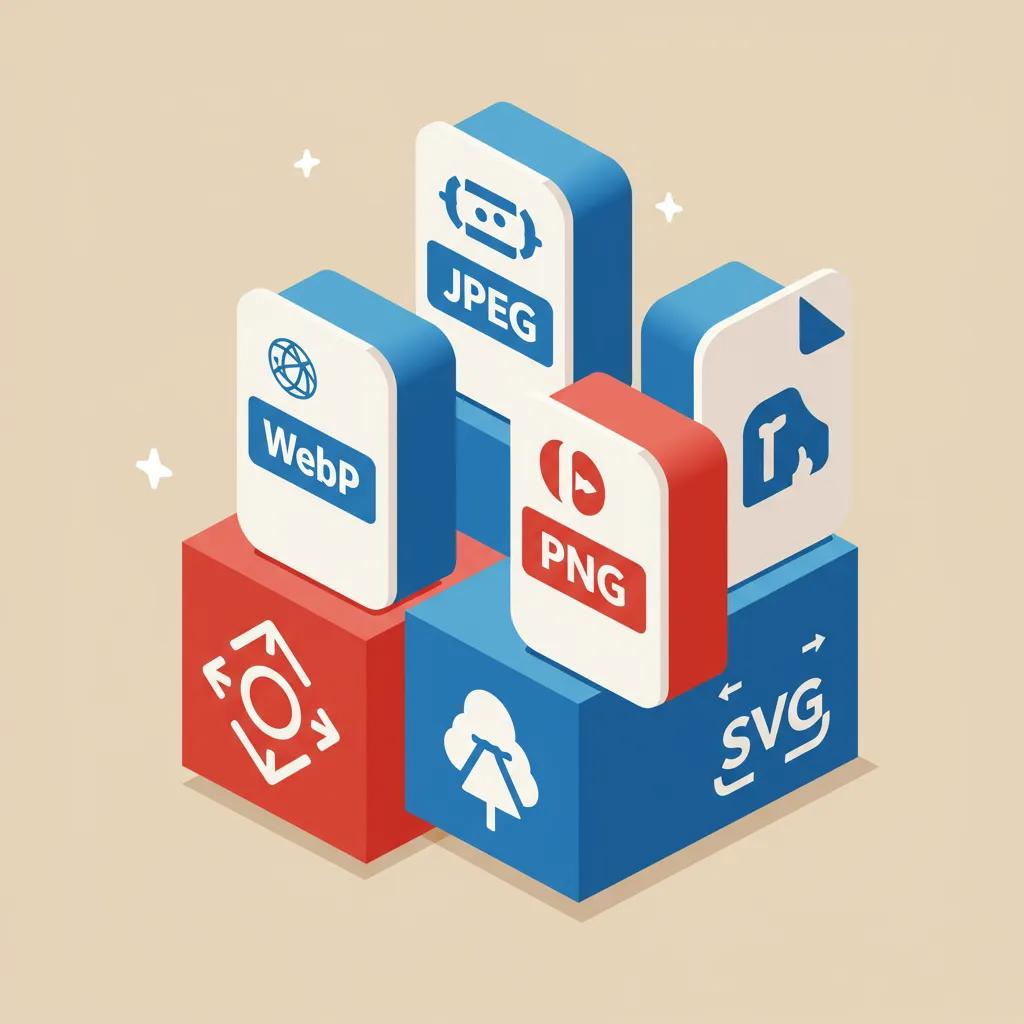
Choosing an image file format balances visual fidelity, compression efficiency, and compatibility for patient-facing photos and technical graphics. WebP offers superior compression for photographic images, reducing file sizes compared with JPEG while retaining quality, whereas PNG suits graphics with transparency and SVG is ideal for crisp logos and icons at any scale. For clinic photos, WebP (with JPEG fallback) typically provides the best size-quality trade-off, and SVG is the recommended encoding for vector-based logos. Fallback patterns should be implemented using the picture element so older browsers receive compatible encodings.
The WebP image format, developed by Google, offers significant advantages in terms of file size and quality compared to older formats.
The WebP Image Format: Compression and Quality Comparison
WebP is a novel image compression technology developed by Google. It is derived from the VP8 video coding format and supports both lossless and lossy compression. When compared with currently popular image formats, WebP offers a smaller file size than JPG and PNG under equivalent picture quality conditions.
Research on the WebP image format, 2015
| Format | Best use case | Pros / Cons |
|---|---|---|
| WebP | Clinic photos, galleries | Pros: smaller files, good quality; Cons: older browser fallbacks needed |
| JPEG | Broad photo fallback | Pros: wide support; Cons: larger than WebP at same visual quality |
| PNG | Diagrams, screenshots, images needing transparency | Pros: lossless for graphics; Cons: larger for photos |
| SVG | Logos, icons, UI elements | Pros: scalable and tiny file sizes; Cons: not for photos |
This comparison shows WebP plus fallback to JPEG and SVG for logos gives clinics a practical mix of performance and fidelity for patient-facing sites. The next subsection covers how compression choices affect performance and user retention.
How Does Image Compression Improve Website Speed and SEO?
Image compression reduces bytes transferred, which directly improves page load times and Core Web Vitals metrics that Google uses to evaluate user experience. Using lossy compression for photographic content at sensible quality levels (for example, aiming for perceptual quality around 70–80% for JPEG-equivalent exports) cuts file sizes significantly while maintaining clinical clarity, and lossless compression suits graphics where fidelity is essential. Tools such as Squoosh and TinyPNG can be used interactively, while build-time or CDN-based pipelines automate compression for ongoing uploads. Balancing quality and size is critical for medical images where diagnostic clarity matters; test exports on representative photos to set per-image thresholds.
Automating compression in asset pipelines prevents regressions and maintains consistent page speed gains; the next subsection explains how responsive delivery avoids overserving large images to mobile patients.
Why Is Resizing and Using Responsive Images Crucial for Mobile SEO?
Responsive images ensure each device receives an appropriately sized file so mobile users no longer download desktop-sized photos unnecessarily, improving Largest Contentful Paint and reducing bounce rates. Implement srcset and sizes attributes or the picture element to declare multiple source widths and allow the browser to choose the best candidate for the viewport and pixel density. Recommended breakpoints for typical dental templates include 320px, 640px, 1024px, and 1600px widths to cover phones, small tablets, desktops, and hero displays. Implementing responsive images both improves Core Web Vitals and supports mobile-first indexing by serving the correct visual experience to the majority of search traffic.
Practical code examples and breakpoints accelerate adoption; the following section addresses writing alt text that aids accessibility and search understanding.
How Does Alt Text Optimization Enhance Accessibility and SEO?
Alt text provides a textual equivalent for images that helps screen readers and search algorithms understand visual content; in healthcare contexts, it should be concise, descriptive, and avoid keyword stuffing. Best practice is to describe the image purpose — for example, “dentist consulting patient in consultation room, Melbourne clinic” — including locality where relevant to support local SEO without over-optimizing. For procedure images, include the procedure name and a non-identifying short description, and always ensure patient consent and privacy compliance before publishing. Clear alt attributes improve accessibility compliance and help search engines map images to queries such as procedure searches or local clinic queries.
Optimizing elements like alt text is a fundamental aspect of on-page SEO, ensuring content is understandable to both users and search engines.
On-Page SEO Techniques: Alt Text and Content Optimisation
On-page SEO involves modifying web pages in accordance with target keywords. This is achieved by paying attention to crucial elements such as the meta title, meta description, heading tags, text formatting, alt text, content, robot.txt, and sitemap.xml.
Search Engine Optimization (Seo) As A Promotional Media On Google Search, B Daniawan, 2021
Well-written alt text also improves the semantic pairing between images and page copy; next, we cover filename conventions that extend those signals.
What Are Best Practices for Descriptive Image Filenames in Healthcare SEO?
Descriptive filenames are a lightweight signal that contributes to semantic clarity for search engines and organization for clinic content teams; use hyphen-separated, human-readable names and include location or procedure keywords when appropriate. Examples: “melbourne-dental-clinic-reception.jpg” or “composite-filling-before-after-2025.jpg” convey both subject and context better than default camera names. Maintain a consistent naming convention in your CMS and avoid generic names like image001.jpg; this makes bulk audits and structured-data mapping easier and supports discoverability in localized image searches. Filenames should complement alt text and captions rather than duplicate them verbatim.
Standardized filenames make audits and migrations simpler, and they reinforce the semantic signals provided by alt text and structured data. The next major section explains how structured data enhances image search visibility.
Milkcan Marketing integration: Milkcan Marketing integrates image optimization into Local SEO and Content Marketing strategies for small healthcare practices, particularly dentists, ensuring filenames, alt text, and responsive delivery align with Google Business Profile goals and site content. Their services include Local SEO, Content Marketing, Google Business Profile management, and Reputation management to turn optimized imagery into measurable local visibility improvements.
How to Optimize Healthcare Images for SEO: Boost Speed & Visibility
Structured data helps search engines understand who, what, and why images exist on a page by mapping image assets to schema properties such as ImageObject and Article, which can improve appearance in image results and rich features. Providing ImageObject markup with properties like contentUrl, encodingFormat, and about clarifies the image subject and its relationship to medical topics or procedures, enabling richer presentation in search and improving chances for discovery via visual search. Implementing structured data also supports connecting images to article or FAQ content so image thumbnails align with relevant queries. Below are practical steps and examples to implement schema tailored to clinical imagery.
What Is ImageObject Schema and How to Implement It for Medical Images?
ImageObject schema defines properties that describe an image asset, such as contentUrl (the image file), encodingFormat (e.g., image/webp), license, and about (which can reference MedicalOrganization or MedicalProcedure). Implementing ImageObject via JSON-LD signals the image’s context to search engines and supports attribution and legal metadata. A concise example for a clinic photo would include contentUrl, encodingFormat, caption, creator, and about referencing the clinic’s relevant page; ensure encodingFormat matches the served file and include dimensions where available. Proper ImageObject markup increases the chance that Google associates the image with the correct topical entity and surfaces it in relevant image or article results.
| Property | Required / Optional | Example for a dental image |
|---|---|---|
| contentUrl | Required | URL of the clinic photo (encoded file) |
| encodingFormat | Optional | image/webp |
| caption | Optional | “Reception area of the clinic, patient welcome desk” |
| about | Optional | Reference to MedicalOrganization or MedicalProcedure |
| creator | Optional | Clinic or photographer attribution |
Including key ImageObject properties clarifies context for search engines and supports richer image discovery; next is why image sitemaps aid discovery.
Milkcan Marketing integration: For practices seeking a schema implementation review, Milkcan Marketing offers technical SEO capabilities that include structured-data audits and recommendations as part of Local SEO and Content Marketing services.
How Do Image Sitemaps Help Google Discover Healthcare Images?
Image sitemaps list image URLs and optional metadata so Google can discover images that might not be indexable via standard crawling, particularly images loaded dynamically or stored in galleries. An image sitemap entry references the page URL and nested <image:loc> entries for each image, optionally including caption or geo-location metadata for local relevance. Submitting an image sitemap to Search Console helps monitor indexation and image impressions, and it is particularly useful for clinics hosting galleries or images behind scripts. Regularly review Search Console reports to confirm which images generate impressions and adjust sitemap entries when adding or removing assets.
| Sitemap Element | Purpose | When to use |
|---|---|---|
| image:loc | Image URL | Always include for each image you want indexed |
| image:caption | Descriptive caption | Use for patient education or procedural galleries |
| image:geo_location | Location metadata | Helpful for localized clinic images to support local search |
Image sitemaps complement on-page schema and help surface images to Google more reliably; next we examine visual search implications.
How Can Visual Search and Google Lens Impact Healthcare Image SEO?
Visual search and tools like Google Lens identify images by visual features and contextual metadata, meaning clinics should prioritize clear subjects, branded signage, and structured captions to improve recognizability. Optimizing images for Lens includes high-resolution, unobstructed subject framing, descriptive filenames and captions, and consistent branding cues to help models associate images with a clinic. For educational diagrams, include textual overlays or alt text that aligns with the diagram’s topic so visual search can map it to related queries. Visual search can surface clinic imagery for discovery queries such as “dental office interior near me” or “tooth whitening before after”, so optimizing both visual clarity and surrounding metadata increases the chance of discovery.
Clear visual subjects and supporting structured data improve both traditional image search and visual search outcomes, and they tie back into local SEO and GBP optimization discussed next.
What Types of Images Should Dental and Healthcare Websites Use for Better Patient Engagement?
Selecting the right image types guides patients through trust-building and decision-making stages; the main categories that influence engagement include authentic clinic and staff photos, procedure illustrations, before-and-after galleries, patient testimonial images, and educational infographics. Each type serves a distinct role: clinic photos establish legitimacy, procedure images set expectations, testimonials humanize outcomes, and infographics educate and attract backlinks. Proper optimization for each — using alt text, filenames, compression, responsive delivery, and consent processes — ensures they support both SEO and patient conversion goals.
Recommended image types and their primary benefits:
- Clinic and staff photography that conveys professionalism and approachability.
- Procedure and outcomes images that set realistic expectations.
- Before-and-after galleries to demonstrate results with consent.
- Patient testimonial photos and quote pairings to build social proof.
- Infographics and educational graphics to explain treatments and earn links.
These image types map directly to conversion stages and should be optimized for speed and semantic clarity; below is a short anonymized before-and-after example and an invitation to request a visual audit.
Which Clinic and Staff Photos Build Patient Trust and Local SEO?
Authentic staff portraits and well-lit clinic interior shots build trust and send local relevance signals when metadata includes clinic location and role descriptions. Optimize these images by including alt text such as “dental hygienist at clinic reception, Melbourne” and filenames reflecting location and subject, and avoid overly staged stock images which can reduce perceived authenticity. When possible, geotag images at the time of capture and maintain clear consent records for patient-adjacent photos. Ethical publishing, with non-identifying staff or consented patient images, supports reputation and reduces legal risk while improving local search relevance.
A consistent approach to staff imagery improves the patient experience and supports local landing page conversion strategies discussed later.
How to Optimize Patient Testimonials and Procedure Images for SEO?
Testimonial images and procedure galleries should follow a checklist: obtain explicit consent, use descriptive alt text, add captions explaining the outcome, implement review schema where appropriate, and lazy-load galleries to preserve initial page speed. Captions and structured data linking reviews to images increase trust and can result in richer search snippets. Before-and-after displays should be responsive and compressed appropriately to retain visual detail while minimizing file size. Combining testimonials with clear CTAs near images helps convert motivated visitors into bookings or inquiries.
Checklist for testimonial and procedure publishing:
- Obtain and document consent before publishing images.
- Use descriptive alt text and concise captions with local keywords.
- Apply review/testimonial schema where applicable and lazy-load galleries.
These steps protect privacy, improve SEO, and increase conversion potential for patient-focused content.
What Role Do Educational Graphics and Infographics Play in Healthcare SEO?
Educational graphics and infographics distill complex procedures into shareable visuals that attract backlinks and social shares, improving organic authority and referral traffic for clinic sites. Optimize infographics by embedding accessible alt text and long-form captions to describe the content for screen readers and search engines, and provide an embed code or smaller derivative image for publishers to encourage syndication. Compress vector-based graphics as SVG when appropriate, and also provide a high-quality WebP or PNG fallback for sharing. Promoting infographics via content marketing increases visibility for procedure-related searches and supports backlink-driven domain authority gains.
Infographics drive both patient education and link acquisition when paired with distribution strategies and accessible markup; next we link image optimization to Google Business Profile and local rankings.
Milkcan Marketing integration: In a hypothetical before-and-after example, a small dental clinic anonymized here increased appointment requests by improving clinic photography, compressing galleries, and adding structured data; clinics interested in similar gains can request a visual content audit and consult Milkcan Marketing’s Content Marketing and Reputation management offerings.
How Does Image Optimization Support Local SEO and Google Business Profile for Dentists?
Optimized images influence how clinics appear in local packs and Google Business Profile listings by improving engagement metrics and providing clear, localized visual signals. GBP image quality and frequency of updates affect user interactions; images that accurately depict the clinic environment, staff, and services increase clicks and direction requests. On-site images tied to local landing pages should reinforce the same messaging and metadata used in GBP entries. Together, on-site and GBP imagery form a cohesive local presence that improves click-through rates and supports conversion on service pages.
How to Optimize Google Business Profile Images for Maximum Local Visibility?
Google Business Profile images should be high-quality, geo-relevant, and refreshed regularly to signal activity; use descriptive captions and consistent naming such as “clinic-name-melbourne-exterior.jpg” and ensure images represent real patient-facing spaces. Recommended GBP image types include exterior signage, reception, treatment rooms, and team photos; update images periodically to reflect facility improvements or seasonal updates. Monitor GBP engagement metrics to see which images generate direction clicks or calls and prioritize similar content. Regular uploads and accurate captions help GBP reflect current practice conditions and encourage patient trust.
Why Are Optimized Images Important for Patient Conversion on Local Service Pages?
Optimized images reduce friction in the decision process by setting realistic expectations and reinforcing trust, which lowers bounce rates and increases appointment bookings. Fast-loading hero images and clear staff photos on service pages complement CTA placement near images to guide visitors toward booking or inquiry forms. Image optimization also supports mobile users who are most likely to convert locally; ensuring responsive images and compressed galleries preserves momentum during the booking flow. Visual elements aligned with clear CTAs create a coherent experience that directly supports conversion metrics.
How Does Image SEO Influence Online Reputation and Patient Reviews?
Imagery supplements review narratives by showing facilities, outcomes, and staff, making testimonials more credible and persuasive when paired with photos. Encouraging patients to submit images with reviews (with consent) increases authenticity and can influence others searching for local services. Organizing review-led imagery in a gallery and optimizing those images with alt text and captions improves discoverability and strengthens positive reputation signals. Including images in reputation management workflows helps clinics respond with visual evidence that supports claims and increases the perceived reliability of reviews.
Integrating images into reputation processes amplifies review impact and contributes to stronger local search performance.
What Advanced Image SEO Techniques Can Healthcare Practices Use to Enhance Website Performance?
Advanced image SEO techniques combine delivery optimizations and operational workflows: lazy loading with careful LCP handling, using a Content Delivery Network (CDN) with on-the-fly format conversion, and building an automated optimization pipeline to process uploads. Conducting regular image SEO audits with an emphasis on Core Web Vitals, alt text coverage, and structured-data presence ensures ongoing performance and discovery. These techniques reduce engineering overhead while preserving image quality for clinically important photos and maintaining search visibility.
How Does Lazy Loading Improve Patient Experience and Page Speed?
Lazy loading defers off-screen images so initial page rendering focuses on visible content, improving perceived speed and reducing data usage for mobile patients. Implement native lazy loading (loading=”lazy”) for non-critical images but exclude hero images and above-the-fold content to avoid delaying LCP. Test pages with and without lazy loading to ensure LCP remains optimal and that deferred images do not block critical rendering. Use placeholder strategies to prevent layout shifts and validate with Core Web Vitals tools after deployment.
Why Use a Content Delivery Network for Faster Image Delivery?
A CDN reduces latency by caching images closer to users and often offers image transformation features such as automatic WebP/AVIF conversion, resizing, and compression at the edge. For clinics serving local patients, a CDN ensures faster load times across regions and provides on-the-fly optimizations that simplify the asset pipeline. Configure the CDN to respect privacy requirements for medical imagery and ensure secure origin hosting for patient-sensitive photos. CDNs also reduce server load and can simplify cache invalidation when images are updated.
Edge image transformation combined with correct privacy settings offers both performance and compliance advantages for healthcare sites.
How to Conduct an Image SEO Audit for Healthcare Websites?
An image SEO audit inventories all images, checks file formats and dimensions, measures individual file sizes, verifies alt text coverage, inspects structured-data implementation, and reviews image sitemap submissions. Use tools like Screaming Frog to extract alt text and filenames, PageSpeed Insights for performance metrics, and Search Console for image impressions; prioritize fixes based on impact and effort. Create a remediation plan that addresses hero images and top-converting pages first, then roll out automated optimization for bulk galleries. Ongoing cadence — quarterly checks with faster follow-ups after major content changes — keeps image SEO aligned with patient acquisition goals.
| KPI | Measurement tool | How to track and target |
|---|---|---|
| LCP | PageSpeed Insights | Monitor pages with largest images and reduce sizes or change loading strategy |
| Image impressions | Google Search Console | Track image-driven queries and optimize high-impression images |
| Conversion rate | Analytics | Correlate image updates with booking or inquiry events |
A structured audit plus prioritized remediation improves both speed and discoverability; the next H2 details measurement and attribution.
How to Measure the Impact of Image SEO on Patient Engagement and Website Conversions?
Measuring image SEO requires tracking Core Web Vitals, Search Console image metrics, and conversion events to attribute changes in inquiries or bookings to image improvements. Establish KPIs such as LCP, image impressions, CTR on image-rich pages, bounce rate, and conversion rate, and create dashboards that correlate image changes with traffic and goal completions. Regular reporting with before-and-after comparisons and A/B tests on hero images or testimonial layouts helps isolate the impact of visual changes. Use Search Console to monitor image search impressions and Analytics to map image pages to booking funnels.
Which KPIs Best Reflect Image Optimization Success?
Key performance indicators for image SEO include Largest Contentful Paint (LCP) for perceived speed, image search impressions and clicks for discoverability, CTR for image-led results, bounce rate for immediate engagement, and conversion rate for business outcomes. LCP improvements indicate faster perceived loads and often correlate with lower bounce rates, while rising image impressions in Search Console show better discovery. Set realistic improvement targets, for example reducing LCP by 20–30% on priority pages or increasing image-driven impressions month-over-month. Attribution requires combining these signals with conversion funnels to confirm image changes drove patient inquiries.
Prioritize KPIs by business impact: conversion-linked pages first, then high-traffic informational assets.
How to Use Google Search Console and Analytics to Monitor Image SEO?
Search Console exposes image impressions, queries, and top pages for image traffic, which helps identify images that generate clicks and opportunities for optimization. In Analytics, create segments for users landing on image-rich pages and measure goal completions or booking events to evaluate image-driven conversions. Combine Search Console performance data with Analytics conversion funnels to attribute image changes to business outcomes and set up alerts for sudden drops in image impressions or page speed regressions. Regular reviews of both tools inform content and technical adjustments.
Tie Search Console queries to on-site image content to discover new keyword opportunities and guide image updates.
When and How Should Healthcare Websites Update Image SEO Strategies?
Update image SEO strategies on a schedule and in response to triggers: run quarterly audits for evergreen maintenance, rework imagery after a site redesign or when adding new services, and update formats when browser support or new formats (e.g., AVIF) mature. Immediate updates are warranted after major changes in Core Web Vitals, after adding significant image galleries, or when Search Console shows drops in image impressions. Create a process for continuous improvement: audit, prioritize, implement, measure, and iterate, keeping a changelog of image updates to simplify attribution.
| KPI | Tool | How to track |
|---|---|---|
| LCP | PageSpeed Insights / Lighthouse | Monitor per-page and set improvement goals |
| Image impressions | Google Search Console | Track top image queries and pages |
| Conversions from image pages | Google Analytics | Segment by landing page and measure goal completions |
A predictable update cadence combined with trigger-based reviews balances operational effort with measurable SEO improvement.
What Are Common FAQs About Image SEO for Healthcare and Dental Practices?
This FAQ section answers frequent practitioner questions concisely, targeting PAA and featured snippet formats to quickly address common concerns about image optimization in clinical contexts. Each answer gives a clear action or recommendation that a clinic can apply immediately, such as format choices, alt text examples, and compression targets.
Why Is Image Optimization Important for SEO in Healthcare?
Image optimization matters because it reduces load times, improves accessibility for patients using assistive technologies, and provides clearer signals to search engines about services and local relevance. Faster pages improve engagement and Core Web Vitals, while accessible alt text supports compliance and indexing. One immediate tip: compress large hero images and serve responsive sizes to mobile devices to see quick improvements in page speed and interaction metrics.
How Does Alt Text Affect SEO and Accessibility for Medical Images?
Alt text serves screen readers and helps search engines interpret images, making it essential for both accessibility and search relevance; write concise descriptive text that includes the image subject and context, for example “dentist examining patient molar, cosmetic consultation, Melbourne clinic” as a procedure image alt. Avoid keyword stuffing; prioritize clarity and context to help both users and search algorithms.
What Is the Best File Format for Optimizing Healthcare Website Images?
For photos, WebP offers the best balance of compression and visual quality with JPEG as a reliable fallback; for logos and diagrams, use SVG where possible and PNG for images requiring transparency. This mix preserves clarity for clinical images while minimizing load time.
How Do Responsive Images Enhance Mobile SEO for Healthcare Sites?
Responsive images deliver the correct file size and pixel density for each device, reducing wasted bandwidth and improving Largest Contentful Paint; implement srcset and sizes so browsers choose appropriate images automatically. This reduces mobile bounce and improves mobile-first indexing outcomes.
How Does Image Compression Affect Website Speed and Patient Retention?
Compression reduces file sizes and directly improves load times, which lowers bounce and increases the chance a visitor will convert; aim for perceptual quality settings that balance detail and size, such as visually testing exports near 70–80% quality for photographic images. Use automated tools in your asset pipeline to maintain consistent compression settings.
Milkcan Marketing integration (final call to action): If your practice would like a targeted image audit and a local SEO review, Milkcan Marketing offers services tailored to small healthcare practices — including Local SEO and Google Business Profile management — to turn optimized imagery into measurable patient inquiries.