
Optimising Videos for Search Engines
Optimising Clinic Video SEO to Boost Local Visibility
Video SEO is about making your video content easy for search engines and platforms like Google and YouTube to find, understand and show to local patients. When you match keyword intent with tidy metadata, strong engagement signals and structured data, your clinic can appear in video carousels, local packs and YouTube recommendations — and turn viewers into bookings. This guide explains how video optimisation works, why watch time and schema matter, and which straightforward steps small clinics can use on a modest budget to attract local patients. You’ll get practical workflows for keyword research, metadata formatting, thumbnail and transcript best practices, schema implementation and measurement — with examples tailored to dental, chiropractic and physio practices. After this intro we note how these tactics link to clinic growth and when it makes sense to call in an agency, then we cover best practices, local use-cases, engagement metrics, schema markup, YouTube tips and measurement so you can start improving videos today.
Milkcan Marketing supports small healthcare practices as a lead-generation and information hub. The tactics below are selected to help clinics turn video views into local enquiries without needing big production budgets. Read on for clear, practical steps and a short agency offer near the measurement section. Next up: core best practices that help videos rank better on Google and YouTube.
What are the best practices for video SEO on Google and YouTube?
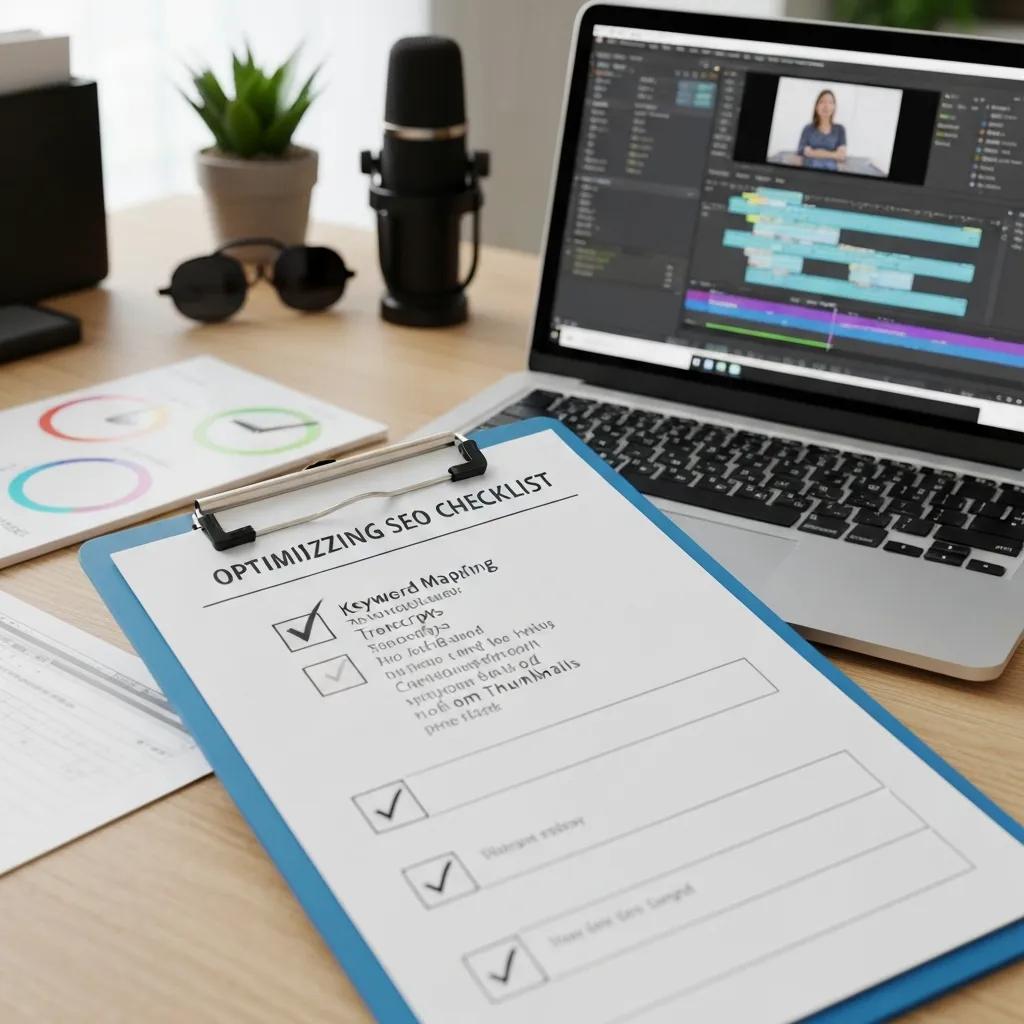
Good video SEO combines relevance signals, on-page metadata and viewer behaviour to help platforms surface the right content for intent-driven searches. Map each video to a clear intent — discover, learn or convert — and use metadata and technical signals (sitemaps, structured data) to tell search engines what the video covers and where to send users. Engagement metrics like click-through rate (CTR), average view duration and audience retention show platforms your content’s value. Pair those with accurate transcripts and tested thumbnails to boost both discoverability and conversion. A repeatable process — keyword selection, metadata authoring, thumbnail testing, transcript publication and schema — drives steady improvements in ranking and local visibility.
The checklist below lists the highest-impact, resource-friendly actions clinics should prioritise first.
- Map each video to one primary intent and include that phrase in the title and the first sentence of the description.
- Publish accurate transcripts and captions to capture search signals and make content accessible.
- Create custom thumbnails that show a face, a short benefit line and consistent brand colours to raise CTR.
- Add VideoObject schema and a video sitemap, or embed the video on a relevant clinic page to improve indexing.
These are the foundations. Next, compare optimisation needs across common clinic video types so you can pick the right format and metadata for each use-case.
Different video formats need specific optimisation choices to rank and convert best.
| Video Type | Attribute | Value / Best Practice |
|---|---|---|
| Short explainer (60–90s) | Intent & length | Answer a quick FAQ or local query; mention the suburb or local keyword within the first 20 seconds |
| Patient testimonial (1–2 min) | Trust signals | Use patients’ first names only with consent; make the title outcome-focused and add a clear CTA |
| Clinic tour (1–3 min) | Visual & metadata | Thumbnail should show clinic signage; description should link to booking pages and mention your GBP |
Matching format, intent and metadata is how you maximise visibility and conversion. The next section digs into keyword strategy.
How do keywords shape video SEO and ranking?
Keywords tell platforms which queries your video should be considered for, but they must be tied to a clear video intent — discovery, consideration or conversion — to perform well. Use YouTube autosuggest, Google’s “people also ask” and query filters to find relevant long-tail phrases like “dental emergency near me”, “physio shoulder rehab exercises” or “chiropractor back pain first visit”. Pick one primary keyword for the title and early description, then add 2–3 secondary long-tail phrases in the transcript and description to widen relevance without blurring intent. This helps search engines match your video to direct queries and related questions. With intent mapped, you can craft metadata that supports those keywords effectively.
What metadata elements matter most for video optimisation?
Title, description, thumbnail, captions/transcript and tags are the core metadata items that together influence ranking and CTR. Use a concise, benefit-led title (50–70 characters) with the primary keyword near the start. In the description, make the first two lines a clear summary of intent and add a timestamped outline to improve session duration. Thumbnails must be readable at small sizes and include a human face, short text and clinic branding to lift CTR. Use tags sparingly for topical context, and publish captions/transcripts so search engines can crawl the spoken content. Well-written metadata improves discovery and helps viewers stay longer, which feeds back into ranking gains.
How can clinics use video SEO to attract local patients?

Video SEO works across the patient journey: discovery videos build local awareness, explainers and testimonials support consideration, and conversion-focused clips drive bookings and calls. For local targeting, use area-specific keywords, mention location in spoken audio and metadata, and link videos to your Google Business Profile and service pages so search engines connect them to your MedicalOrganisation entity. Simple, well-scripted videos shot on mobile with decent lighting usually beat poorly scripted, high-budget pieces — viewers value clarity and trust. The table below maps common goals to platforms and key metrics so clinics can choose the most effective formats for each acquisition objective.
This table links common clinic video goals to recommended platforms, metrics and schema for measuring success.
| Use Case | Attribute | Value |
|---|---|---|
| New patient discovery | Platform | YouTube plus embedded site video; metric: impressions and local search appearances |
| Appointment conversion | Key metric | Clicks to booking page; use VideoObject with publisher pointing to the clinic |
| Trust & reputation | CTA | Short testimonial with CTA to call or book online; measure form submissions |
| Education & retention | Format | Long-form explainer with transcript; metric: average view duration |
The table clarifies which platform and metric match each business goal. Next is a quick catalogue of effective clinic video formats.
These video formats consistently support patient acquisition for clinics.
- Patient testimonials: build social proof and lower the perceived risk for new patients.
- Procedure explainers: demystify care pathways and help patients feel prepared.
- Clinic tours: reduce friction by showing facilities and staff, increasing trust before the first visit.
- Short-form educational clips (Reels/Shorts): capture discovery-stage attention and drive viewers to longer resources.
- FAQ videos: answer common pre-appointment questions and cut admin time.
Each format fits into the discovery–consideration–conversion funnel. The next subsection explains how to integrate video assets into your Google Business Profile for extra local reach.
Which video types perform best for healthcare SEO?
Testimonial and explainer videos usually beat generic promos because they match search intent and build trust for clinical decisions. Keep testimonials concise (60–90 seconds), use outcome-focused keywords in the title and include a clear CTA in the description. Explainers can be longer (3–8 minutes) and benefit from chapters/timestamps to keep viewers engaged. Clinic tours and staff-intros work well on Google Business Profile and service pages where patients look for reassurance; short-form clips are great for discovery and social distribution, funneling people to your YouTube channel. Choose the format based on your primary KPI — impressions for discovery, average view duration for consideration, clicks for conversion — and let that choice guide your metadata, thumbnails and publishing cadence.
How does local video SEO fit with Google Business Profile?
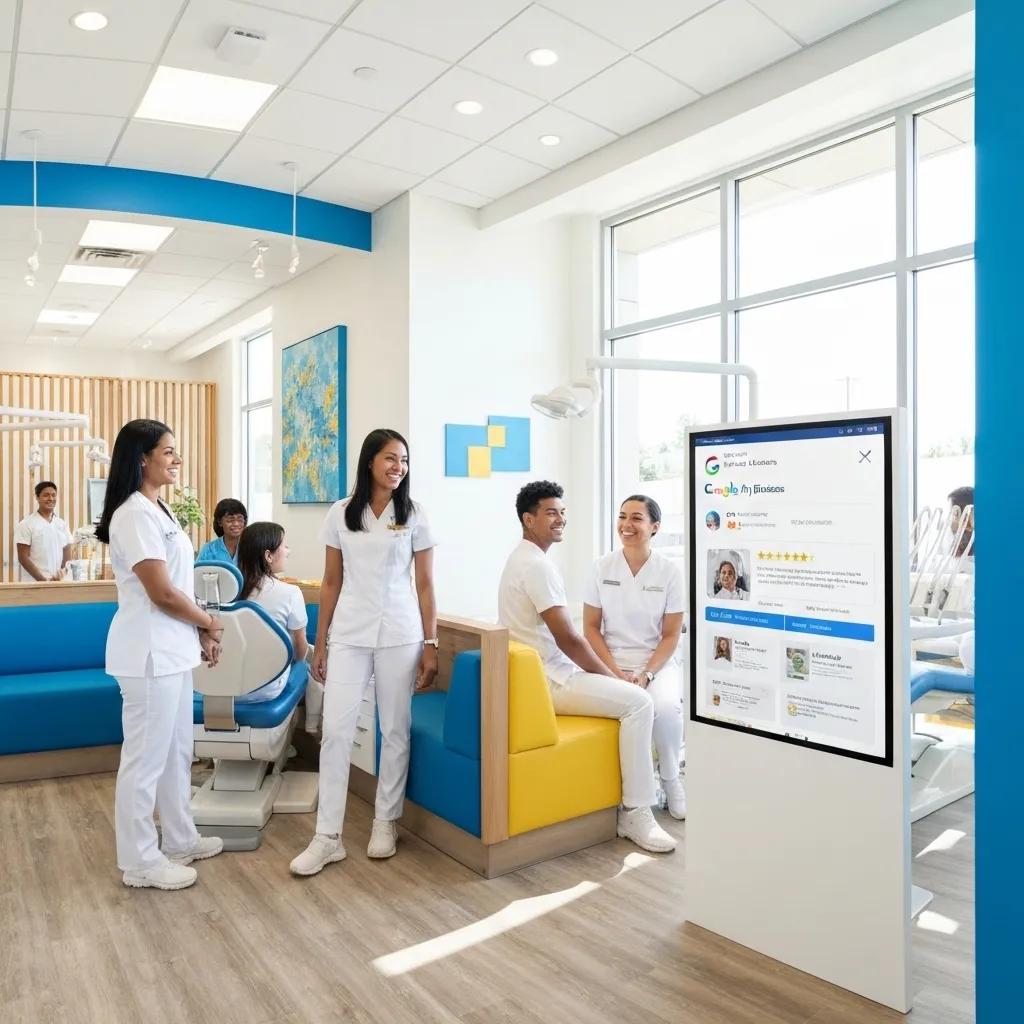
Uploading videos to Google Business Profile (GBP) helps your clinic show rich media in local searches and Maps. Add clinic tours, staff intros and short procedure explainers to GBP, include accurate captions and a brief description with local keywords, and embed the same videos on relevant service pages. Consistent keywords and timestamps across GBP, YouTube and your site help Google link media to your MedicalOrganisation and services. Proper GBP use increases the chance videos appear in local results — which brings us to the engagement metrics that drive distribution.
What engagement metrics most affect video SEO?
Platforms use engagement metrics to judge whether viewers find a video valuable. The most important are watch time, average view duration, CTR and interaction counts. Watch time (total minutes watched) heavily influences recommendation systems, while average view duration shows if viewers stick around for your message. CTR reflects how well your title and thumbnail convert impressions into clicks. Likes, comments and shares add social proof and early momentum, and retention curves reveal where viewers drop off so you can improve pacing or add chapters. Improving these metrics is a repeatable cycle: test thumbnails, refine hooks and update descriptions to match viewer expectations.
Here are simple, repeatable tactics to improve each metric.
- Improve CTR with thumbnail tests and benefit-led titles that include your primary keyword.
- Increase watch time by tightening intros and placing clinician credibility or the main benefit in the first 10–20 seconds.
- Boost interactions by prompting specific actions (ask a focused question) and pinning replies to early comments.
- Add chapters and timestamps so viewers can jump to the section they need, increasing session time across your channel.
These moves make it more likely platforms will recommend your videos. The next subsection explains how watch time and social signals work behind the scenes.
How do watch time, likes, comments and shares affect visibility?
Recommendation algorithms favour videos that keep viewers watching. Higher watch time and average view duration typically lead to more impressions and placements in suggested feeds. Likes, comments and shares provide social proof and can accelerate early rankings by signalling relevance to the platform. Comments also add user-generated text that can broaden topical signals. Early momentum in the first 48–72 hours is important — notify your email list or share on social channels to seed views and interactions. Knowing this helps you write scripts and CTAs that encourage interaction while staying clinically appropriate.
How can healthcare videos encourage interaction and retention?
Open with a clear, empathetic hook: name the problem, promise a specific benefit and show clinician credibility within the first 10–20 seconds. For longer explainers, use timestamped chapters to reduce drop-off and guide viewers to the most relevant sections. Include concise CTAs that invite comments on experiences (for example, “Tell us which symptom you relate to”) without inviting medical advice. Use end screens and playlists to guide viewers to related videos or the booking page to increase session duration and conversions. Run small A/B tests on thumbnails and opening lines to learn what resonates locally. These structural and script choices help rankings — next up, schema and structured data.
How to implement structured data (schema) for video SEO?
Adding schema.org/VideoObject structured data helps search engines understand key video details — title, description, thumbnail, uploadDate, duration and interactionStatistic — so they can show rich results and video carousels. Setting the publisher as a MedicalOrganisation and linking the VideoObject to a Service or MedicalCondition improves relevance for healthcare queries and supports local entity recognition. Place VideoObject JSON‑LD on the page where the video is embedded, include thumbnailUrl and transcript properties, and submit a video sitemap if you host videos on your site. Proper schema increases the chance of rich snippets and better indexing. The table below lists key VideoObject properties with example values you can adapt for a dental explainer.
Use this reference table when adding VideoObject markup to clinic pages; it maps properties to purpose and gives example values you can reuse.
| Schema Property | Description | Example Value |
|---|---|---|
| name | Title of the video | “How a Dental Implant Works — New Patient Guide” |
| description | Short summary for search engines | “A step-by-step explainer for patients considering a dental implant, including recovery expectations.” |
| thumbnailUrl | Primary thumbnail image | URL to clinic-hosted thumbnail image |
| uploadDate | Publication date | “2025-09-10” |
Populate these fields and validate them with structured-data tools to improve indexing and rich-result chances. The next subsection defines VideoObject and explains why it helps search visibility.
What is and how does it help?
is a structured-data type that tells search engines a video’s core metadata so they can display thumbnails, durations and snippets in search results and index transcripts for better discoverability. Properties like name, description, thumbnailUrl, uploadDate, duration, transcript and interactionStatistic give explicit signals about content, publisher and engagement. For clinic videos, setting publisher to your MedicalOrganisation and using an “about” field linked to a service or condition ties the video to your local entity. Adding a small JSON-LD block on the page where the video sits is a low-effort way to increase the chance search engines will surface the video for relevant queries.
How can clinics use schema to improve video search appearance?
Map VideoObject fields to clinic-specific attributes: set publisher to your MedicalOrganisation name, set “about” to the relevant Service or MedicalCondition, attach a transcript and include interactionStatistic metrics where available. Consistency matters — use the same schema approach for YouTube embeds and native site videos to avoid fragmented signals. After implementing schema, validate it with available testing tools and watch search appearance for video impressions and rich-result clicks. Treat schema as an iterative part of your optimisation cycle alongside metadata and engagement work.
What are the best YouTube SEO tips for clinic videos?
YouTube optimisation needs both channel-level and video-level signals: consistent branding, playlists that show topical authority, well-crafted titles and descriptions, and accurate captions/transcripts. A clear About section, channel keywords and playlist structure grouped by condition or service help build thematic authority. At the video level, keep a steady publishing rhythm, repurpose transcripts into supporting site content with VideoObject markup, and run quick thumbnail/title A/B tests during the first week to refine CTR. These platform-specific steps increase organic reach and help convert viewers into patients.
Start with this practical YouTube checklist for clinic channels.
- Put the primary keyword near the start of titles and keep them within 50–70 characters.
- Use the first two lines of the description to summarise intent and add a timestamped outline.
- Add accurate captions and full transcripts to improve accessibility and crawlability.
- Group related videos into themed playlists to increase session time and topical authority.
Use these consistently to make your channel easier to find and more effective at moving viewers through the patient journey. The following subsections cover title/description tactics and playlist/caption strategies in more detail.
How to optimise YouTube titles, descriptions and tags for healthcare content?
Write titles that combine a clear benefit with a local qualifier when relevant — for example, “Shoulder Pain Exercises — Physio Guide Near [Suburb]” or “Dental Emergency: What to Do Now”. Place the primary keyword at the start, keep the title natural and avoid stuffing. Use the first 150 characters of the description to summarise intent and include a short CTA to your booking page. Tags should mix broad topical terms and long-tail variants; use the transcript and a pinned comment to surface secondary keywords and a link to the appointment page. This structure balances discoverability with conversion and links naturally to playlists and captions to increase session duration.
How do playlists, captions and transcripts boost YouTube SEO?
Playlists guide viewers from one related video to the next, increasing session time and signalling topic authority to YouTube. Captions and transcripts make spoken content searchable, improve accessibility and add textual signals that both YouTube and Google can crawl. Repurpose transcripts into blog posts and schema to strengthen cross-channel SEO. Always review auto-generated captions for medical accuracy and add chapter timestamps in both the description and transcript for easier navigation. Together, these elements raise watch time and retention, which helps videos reach more local patients.
How should clinics measure video SEO success?
A reliable measurement framework combines platform metrics (YouTube Analytics), site metrics (GA4) and search signals (Google Search Console) so you can link visibility to patient outcomes. Track impressions, CTR, watch time, average view duration and conversions like bookings or calls from video pages. Correlate those metrics to find which videos drive the best patient-acquisition ROI. Set a cadence for audits — quarterly tactical tweaks, bi-annual content refreshes and an annual strategic review — to keep content aligned with search behaviour and clinical guidance. The table below maps KPIs to actions to help clinics prioritise measurement work.
Use this KPI table to turn video metrics into clear next steps for clinic teams.
| KPI | Description | Action |
|---|---|---|
| Impressions | How often the video was shown in search or suggestions | Update metadata if impressions are low or adjust targeting if CTR is high but conversions are low |
| CTR | Clicks divided by impressions | Test thumbnails and title wording to improve click rates |
| Average View Duration | Typical watch length per view | Shorten the intro or add chapters if viewers leave early |
| Conversions | Bookings or calls that come from video pages | Make CTAs clearer and optimise landing pages |
This mapping helps clinics convert analytics into improvement tasks that lift both ranking and patient acquisition. The final H3 sections explain exact metrics to track and suggested audit frequencies.
Milkcan Marketing offers audits and reporting tailored to small healthcare practices. Our reviews cover video metadata, schema, GBP integration and analytics to find quick wins and measurable uplift. Clinics can request a performance review that delivers a prioritised action list and a sample tracking setup. A typical audit checks title/description alignment, VideoObject completeness, watch-time trends and conversion tracking, then provides an implementation roadmap focused on local patient acquisition. This option suits teams who want to outsource technical work or speed results without guessing which changes matter most. We usually recommend a short diagnostic audit that highlights the top three changes likely to increase bookings from video content.
Which metrics should clinics track for video SEO?
Track channel impressions, video CTR, watch time, average view duration, audience retention curves and interaction counts on YouTube. On-site, measure clicks from video embeds to booking pages and conversion events in GA4. Correlate view spikes with appointment form submissions or call-tracking data to attribute value to videos. Monitor search appearance metrics in Google Search Console to see if videos show as rich results. Set targets (for example, a 3–5% CTR or a 20% lift in average view duration in the first quarter after changes) and use those goals to prioritise experiments. Mapping metrics to outcomes helps you decide whether to tweak thumbnails, tighten intros or refresh metadata seasonally.
How often should video SEO content be audited and updated?
Adopt a practical cadence: quarterly tactical audits for thumbnail and metadata testing, bi-annual content refreshes for high-potential videos, and an annual strategic review covering channel structure, schema and measurement. Quarterly checks focus on A/B thumbnail tests, updating first-line descriptions and small script edits. Bi-annual work includes repurposing strong transcripts into blog posts and refreshing thumbnails and titles for evergreen assets. Annual audits should include a full schema review, a GBP media check and competitive keyword research to realign topical authority and patient-acquisition goals. Regular audits keep videos accurate, compliant and aligned with search behaviour — closing the optimisation loop for the next round of improvements.
If you’d like a concise, prioritised audit of your clinic’s video presence, Milkcan Marketing can produce a diagnostic review outlining the top three changes expected to improve visibility and patient enquiries, including required schema updates and measurement tweaks.
We also offer hands-on implementation support if you prefer help executing changes — from metadata updates and structured data to reporting setup and channel management.
Frequently asked questions
What role does video length play in SEO for healthcare videos?
Video length affects engagement and retention. Short clips (60–90 seconds) work well for FAQs and local queries; longer explainers (3–8 minutes) suit in-depth topics. The key is to keep the content engaging throughout — videos that hold attention have higher watch time, which helps ranking on Google and YouTube.
How can I measure the effectiveness of my video SEO efforts?
Track KPIs like impressions, CTR, watch time and average view duration via YouTube Analytics and Google Search Console. On-site, use GA4 to measure clicks from video pages and conversions. Correlate these numbers with appointment bookings or enquiries to understand the real impact of your videos.
What types of calls-to-action (CTAs) work best in healthcare videos?
Use clear, relevant CTAs: invite viewers to book, call or visit a specific page. Phrases like “Book online today” or “Call us to schedule your consultation” work well. Place CTAs where they feel natural — early for conversion clips and at the end for educational content — and keep them concise.
How important is video quality compared to content in healthcare videos?
Content relevance and clarity usually matter more than high-end production. Viewers prefer honest, informative videos with good audio and lighting over polished pieces that don’t answer their questions. Aim for clear messaging, proper lighting and crisp sound; production value should support communication, not replace it.
Can I repurpose video content for other channels?
Absolutely. Turn transcripts into blog posts, create short social clips for Reels/Shorts, and use highlights in emails. Repurposing extends reach and reinforces your message across platforms — just tailor the format and copy for each channel.
What are the best practices for integrating videos into my website?
Embed videos on relevant service pages and link them to your Google Business Profile. Use descriptive titles and metadata, include transcripts for accessibility, and add VideoObject schema so search engines can better understand the content. This improves user experience and helps your site’s visibility in search.
How can I keep my video content compliant with healthcare rules?
Always get written consent from patients featured in videos and avoid sharing sensitive information. Follow applicable privacy and advertising rules in your region, add disclaimers when discussing medical advice, and keep content accurate and current. When in doubt, consult a legal or compliance advisor experienced in healthcare marketing.
Conclusion
Optimising videos for search makes your clinic easier to find, increases patient enquiries and helps turn viewers into bookings. By following practical video SEO steps — from keyword mapping and metadata to thumbnails, transcripts and schema — clinics can lift visibility and engagement without big budgets. Start small: pick a high-value video, apply a few of the checklist items above, measure results and iterate. If you’d like help prioritising or implementing changes, Milkcan Marketing is ready to support your clinic’s video strategy and measurement.